Oracle OPERA Cloud PMS: Hidden Features and Shortcuts for Peak Season
It is peak season, rush hour. Staff need to juggle several tasks as quickly as possible to deliver exceptional guest experiences while locking in revenue.
Did you know that some of the most useful OPERA Cloud PMS features are hidden? They include a mix of newly released tools (many tucked behind OPERA Controls that are off by default) and built-in screen shortcuts that save clicks during peak check-in rushes.
Let’s explore the features and shortcuts that help elevate your operations and cut the time it takes to complete routine tasks.

1. Newly Released Features (Often Disabled by Default)
Many of Oracle’s latest updates need an administrator to switch them on before staff can see them. You’ll find them here:
AI Reservation Summary at Check-In
Instead of digging through multiple tabs for traces, alerts and historical preferences, this control generates a quick digest right at check-in, so front desk agents can greet returning guests with context.
Auto-Attach Room Routing on Additional Charges
When configuring an Additional Charge, you can now link a Room and Routing Code directly to it. OPERA Cloud automatically generates the room routing instructions at check-in whenever a reservation meets that charge’s criteria.
Translated Housekeeping Attendant Notes
Within the mobile Task Companion, housekeeping notes can be translated automatically for room attendants, removing language barriers without separate translation apps.
eSign Registration Cards for Accompanying Guests
Beyond the primary guest, accompanying sharers and family members can digitally sign registration cards separately, keeping compliance records complete.
Smart Service Order Task Requests
Streamlines internal service requests so guest needs, like extra towels or maintenance fixes, route automatically to the right mobile task sheet without manual dispatch.
Shared Profile Credit Card Wallets
For multi-property groups using shared profiles, tokenised credit cards can be shared across sister properties (subject to payment processor support), saving repeat corporate and leisure guests from re-entering payment details.
OPERA Cloud Assistant & AI Rate Descriptions
Built into the PMS at no extra licensing cost, the conversational assistant lets staff ask procedural questions (such as how to run specific night audit steps), while revenue managers can auto-generate channel rate descriptions.
2. Built-In Workflow & Screen Shortcuts
Even on standard configurations, several native productivity tools go unused by daily operators.
On-Screen Keytips
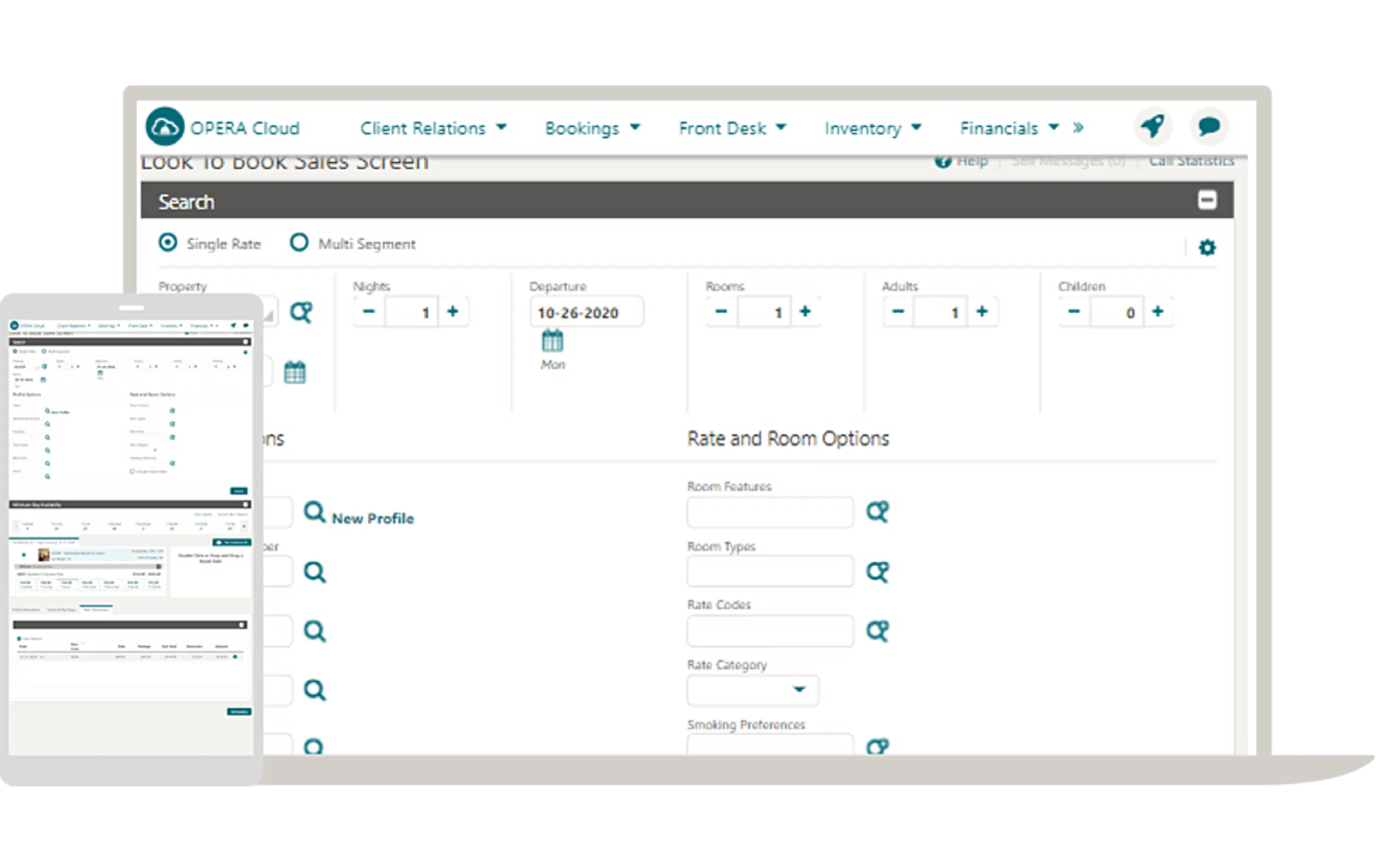
Pressing and holding the Ctrl key on almost any screen (like Look to Book or a reservation’s I Want To menu) reveals two-letter keyboard overlays next to buttons and fields. Typing those letters jumps straight to sections like Deposit/Cancellation (DC) without touching the mouse.
Quick Launch Menu
Clicking the rocket icon in the top bar, or pressing F2, opens a customisable shortcut drawer. Besides pinning deep OPERA menus, you can add external URLs (such as key card encoder portals, payment gateways or local taxi dispatchers) so they open without disrupting your active PMS session.
Screen Customisation & Yellow Field Highlighting
Using the gear icon on screens like Guest Profiles, managers can hide unused fields, add custom flex fields, or highlight critical fields (like Passport Number or Loyalty ID) in bright yellow so agents never miss them.
Site Map Search
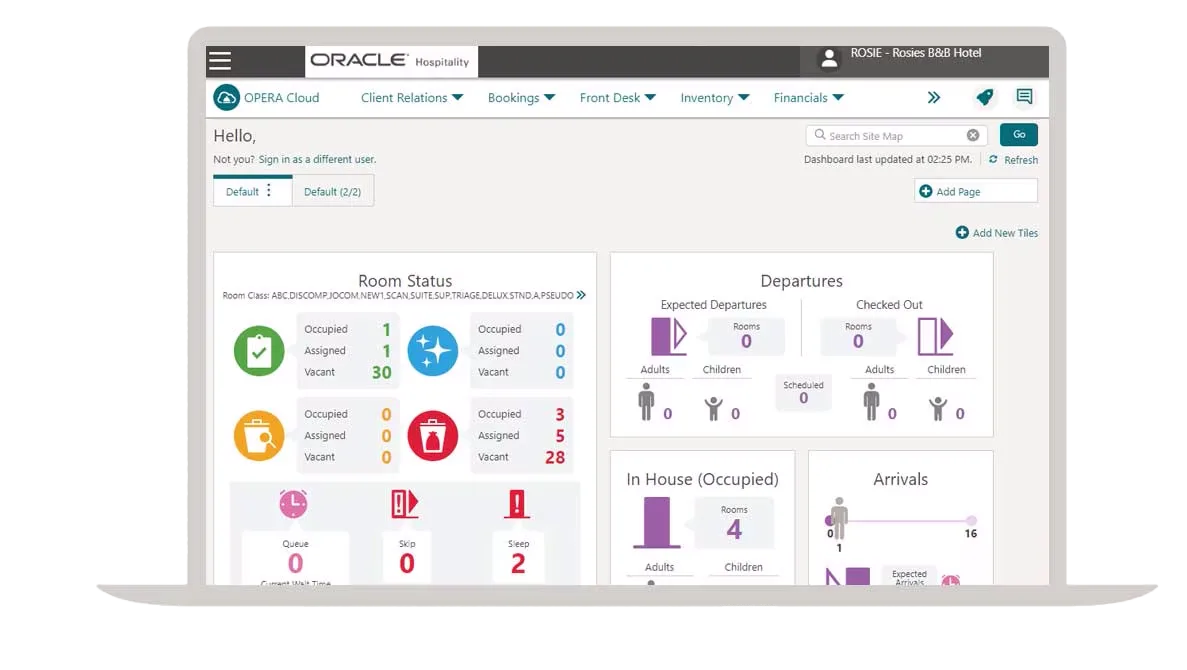
Instead of hunting through nested dropdowns, type keywords into the top dashboard search bar to query the Site Map and see an alphabetical list of every active module your user role can access.
Draggable Dashboard Tiles
Customise your home screen with live-updating tiles (Arrivals, Departures, Room Status, Daily Projections) and set exact display counts, so your shift’s priorities sit on a single screen.
Wrap Up 2026 the Smart Way
Close out the year with OPERA Cloud PMS’s powerful built-in features and shortcuts, and make daily operational tasks faster and more flexible for your team.
Switch On the Features Your Team Is Missing
Reach out to us and we will walk you through the exact steps to enable the OPERA Controls most relevant to your hotel operations.
Contact UsStay informed on hospitality technology
Get the latest hospitality technology insights, product updates, industry news, upcoming events and practical tips from Novacom Systems Limited delivered straight to your inbox.
Join our Mailing List